What Is a Transparent Background? (And What Do You Call a Picture With No Background?)
A picture with no background is usually called a transparent image, a transparent PNG or a cutout. The background is not painted white or any other colour. It is genuinely empty, so whatever sits behind the image shows through.
That one detail is the whole reason clipart sellers care. Here is what a transparent background is, the words people use for it, which file types can hold it and how to be sure yours is real.
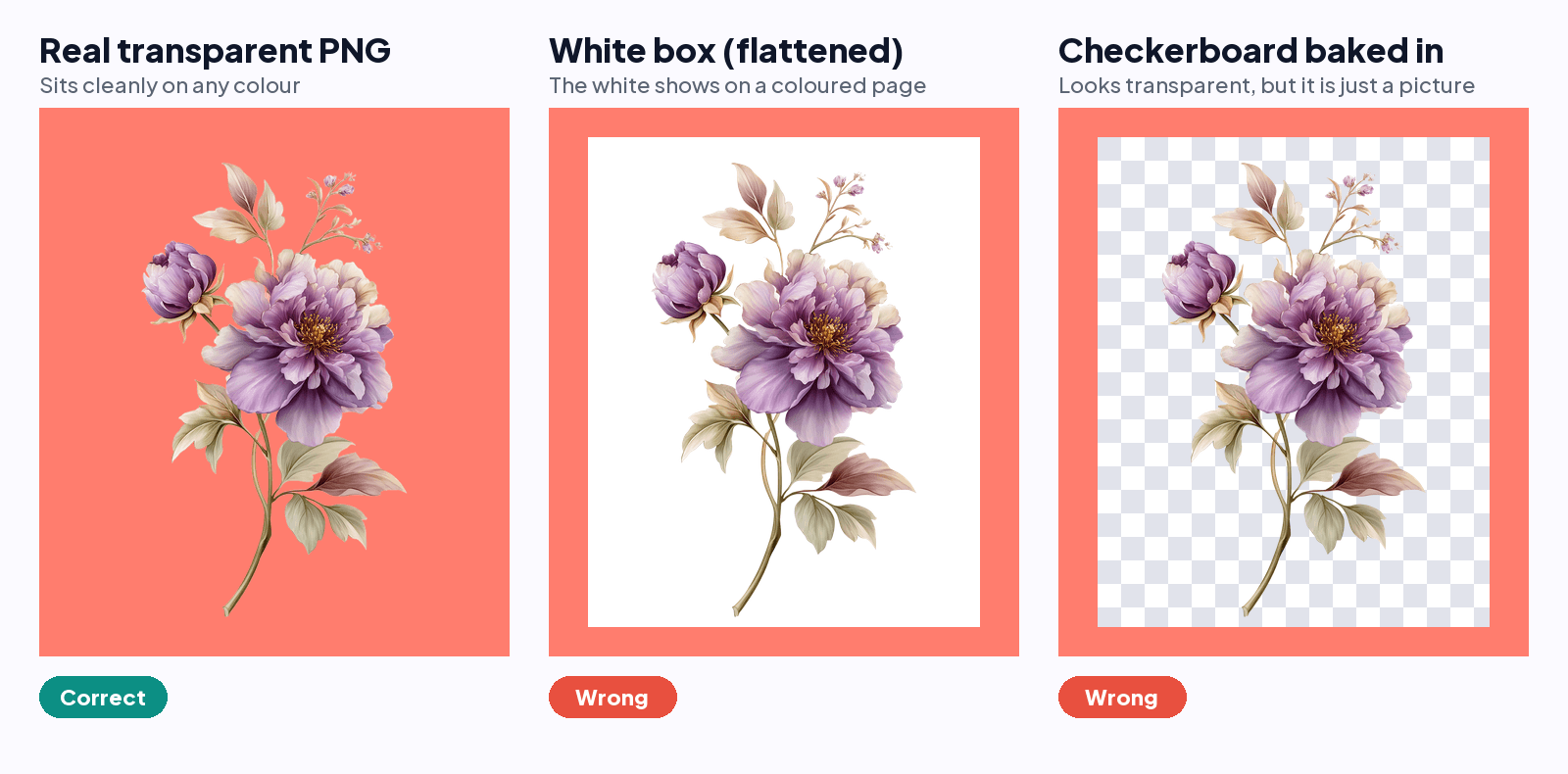
What a transparent background actually is
Every pixel in a normal image has a colour. A transparent image also stores an opacity value for each pixel, often called the alpha channel. Where the opacity is zero the pixel is invisible, so the page, card or product behind it shows through. Soft edges are pixels that are only partly opaque.
What people call a picture with no background
- Transparent background or transparent image: the general term.
- Transparent PNG: the most common file for it.
- Cutout: the subject has been cut out of its original background.
- Background removed, or no background: the same idea, described by what was done.
- Isolated image: a subject separated from everything around it. Some shops use this for a subject on plain white, which is not the same as transparent.
- PNG with alpha: the technical name, because the file has an alpha channel.
Which file types can have a transparent background
| Format | Keeps transparency? | Notes |
|---|---|---|
| PNG | Yes | The usual choice for clipart. Supports soft, partly transparent edges. |
| WebP | Yes | Supported by modern browsers, less common for downloads. |
| GIF | Only on or off | No soft edges, so cutouts look jagged. |
| SVG | Yes | A vector format. The shapes have no background unless one is drawn in. |
| TIFF and PSD | Yes | Layered or print-oriented files, often large. |
| JPG | No | Always has a background. Saving as JPG fills empty areas, usually with white. |
Transparent is not the same as white
A white background is a layer of white pixels. It looks like nothing on a white web page, which is why it fools people, but it shows as a white box on a coloured card, a dark shirt or a mockup. It is one of the most common ways clipart listed as transparent lets a buyer down. The detail is in transparent PNG vs white background.
Why the grey and white squares show up
Editors draw a grey and white checkerboard behind a transparent image so you can see where the empty areas are. It is a display trick, not part of your file. If the squares appear wherever you place the image, they were saved as real pixels. See why a PNG that looks transparent is not.
How to make a picture transparent
- Start with a high-resolution image of the subject.
- Run it through a background remover so the background becomes empty pixels rather than a colour. A tool made for clipart keeps fine edges better than a general photo tool.
- Check the edges for a pale outline and clean it up.
- Save as PNG. Never JPG.
- Test it on a bright colour before you use or sell it.
You can try this on one image with the transparent PNG maker, and check any file you already have with the free transparent PNG checker. If you have a whole pack to do, Clipart Prep Studio removes the backgrounds, cleans the edges and saves transparent PNGs in one batch. Your first 5 images are free, no card.
Common questions
- What is it called when a picture has no background?
- Usually a transparent image, a transparent PNG or a cutout. The background has been removed so the pixels behind the subject are empty.
- What file type has a transparent background?
- PNG is the most common, and WebP, SVG, TIFF and PSD can also hold transparency. GIF only supports fully on or off transparency, and JPG cannot hold it at all.
- Is a transparent background the same as a white background?
- No. A white background is made of real white pixels, so it shows as a box on any other colour. A transparent background is empty, so whatever is behind the image shows through.
- What does a transparent background look like?
- In most editors it shows as a grey and white checkerboard, which is just how the app draws empty space. In use, it looks like the subject is sitting directly on whatever is behind it.
- Can I make a JPG transparent?
- Not as a JPG, because the format cannot store transparency. Remove the background and save the result as a PNG.
- How do I know if my image has a transparent background?
- Place it on a bright colour. If the colour shows through behind the subject with no box, it is transparent. A free checker can also scan the file for you.